How To Hide Your Location and Protect Your Geospatial Data
Imagine you’re commuting to work and your Google Maps loses signal. Suddenly, the little blue dot stops moving and you don’t know where you are. Panic ensues (for some of us).
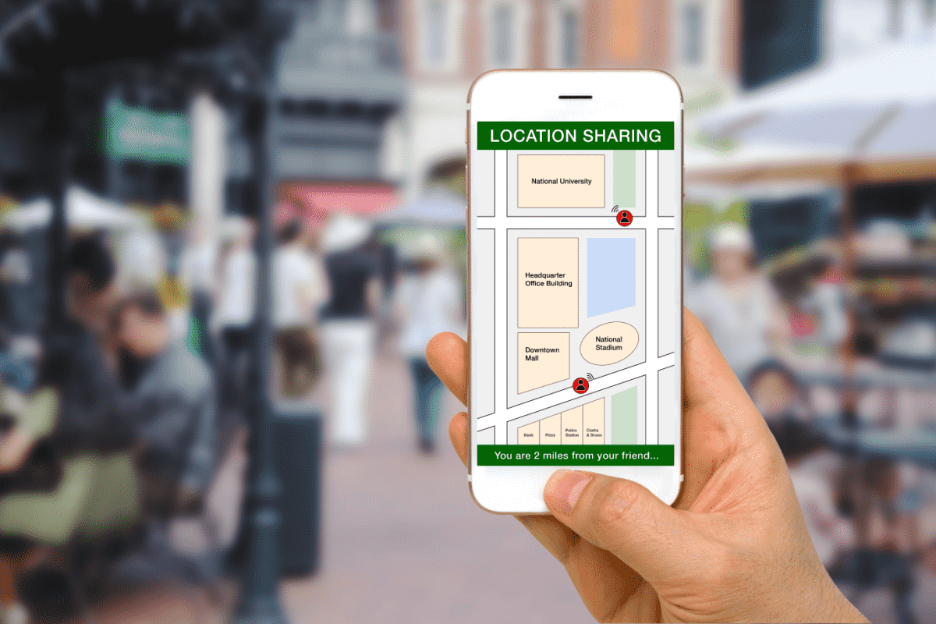
Modern devices constantly broadcast our location through GPS, Wi-Fi, cell towers, and apps. We’re basically walking beacons of sensitive data. But here’s the flip side: While geolocation is extremely helpful, it also risks surveillance, data breaches, and misuse of location data.
In this article, we’ll explore how geospatial data works on your devices and what you can do to protect yourself.
What Is Geospatial Data?
Geospatial data is any information that tells you where something is on Earth. This can be a map, your phone’s GPS coordinates, satellite images, or even a spreadsheet that lists all the coffee shops and pet stores in your city.
Examples include:
Satellite imagery and aerial photography
Maps of roads, rivers, or utility networks
Demographic or environmental datasets tied to coordinates
Real-time tracking data from mobile devices or sensors
Your location at any point is called your geolocation.
How to Hide Your Location
Protecting your location doesn’t mean going off the grid completely. You can take several practical steps to control who sees your data and when.
Here are five effective methods:
#1 Use a Virtual Private Network (VPN)
VPNs work like a disguise for your device, creating an encrypted tunnel to a remote server. They mask your real IP address, so websites and online services see the VPN server’s location instead of yours. If your VPN is in Croatia while you’re in the United States … it appears you’re browsing in Croatia.
#2 Spoof Your Location With a Proxy
A web or browser-based proxy acts like a middleman between you and the internet.
When you visit a website through a proxy, your request doesn’t go straight to that site’s server. It first passes through the proxy server. That means the website only sees the proxy’s IP address, not yours. Many proxies appear as regular HTTP links. Unlike VPNs, though, they generally lack encryption.
#3 Disable Sensors and Services
Your mobile phone tracks your location and collects geodata everywhere you go. One way to hide your location is to simply turn off location sensing. Turning off GPS, Wi-Fi, and cellular data—or switching to airplane mode—halts coordinate tracking (like your phone location).
On a browser, you can block the Geolocation API, which stops websites from asking for your location.
For extreme cases (we’re looking at you, journalists, security professionals, and researchers with sensitive info), you can physically isolate a device in a Faraday bag. It’s a pouch that blocks all electromagnetic signals—nothing coming in, nothing going out.
#4 Use Encryption and Data Controls
If you’ve ever used WhatsApp, a popular messaging app, you may have seen its end-to-end encryption notice. Encryption means your text gets turned into code on your phone, travels through the internet as unreadable data (even to WhatsApp’s servers), and can only be decoded by your recipient’s phone.
Another everyday example? Any website that starts with HTTPS. That little padlock icon in your address bar means your connection is encrypted and secure.
#5 Protect Your Hardware
If you prefer maximum privacy, you can add hardware protections, like:
Specialized phones: Some security-focused phone brands have a “kill switch” that disables cameras, microphones, and even GPS.
Mainstream options: Newer Android models let you turn off all sensors.
Secure GPS receivers: Specialized GPS/GNSS receivers support signal authentication.
Network protection: Use hardware firewalls or VPN routers to anonymize or block location-tracking at the network level.
Check which apps have access to your location (and deny location sharing when it’s not essential)
Every action limits how much of your digital trail is exposed. You don’t need to be paranoid, but taking secure measures makes it much harder for anyone to follow you.
Quick Takeaways
We leave digital footprints everywhere: phone GPS logs, social media check-ins, fitness apps—even smart thermostats quietly pinging our coordinates.
Here are a few key points we covered:
Your location data is personal. Every app, Wi-Fi signal, and GPS ping can reveal where you live, work, and travel.
You can control access. Turn off location services when not needed, review app permissions, and strip GPS metadata from photos before posting.
Privacy tools help. VPNs, proxies, encryption, and hardware firewalls can mask or secure your location footprint.
Stay compliant and ethical. Regulatory laws define geolocation as personal data. Collect or share it only with consent.
Shape the Digital Frontier With a Geospatial Certificate
Fascinated by how maps, satellites, and drones connect our world—and how to defend that data from digital invaders? Geospatial technology is a versatile and in-demand skill set, with applications spanning everything from disaster response and business intelligence to urban planning and climate research.
The University of Texas Permian Basin offers a 100% online GIS and Geospatial Graduate Certificate that can elevate your skills, expand your career options, and position you at the forefront of big data innovation.
In just 12 credits, you’ll learn to map, analyze, and protect spatial data using the latest tools—backed by UTPB’sover 20 years of GIS and geospatial industry partnerships.
Whether you’re a future data science engineer, a geospatial data engineer, or you just want to future-proof your career with a valuable credential, this program gives you the skills to stand out and stay ahead.
Best of all, you can study wherever you want, on your schedule—while shaping the future of geospatial sciences. Apply here to join the Falcon Family.
Modern video games can recreate the real world with stunning precision, and GIS technology is what makes that possible. In fact, when fire ravaged Notre-Dame Cathedral in Paris in 2019, a detailed digital model built for the video game “Assassin’s Creed Unity” surfaced as a potential reconstruction reference. GIS is rapidly reshaping what it means to play video games today. This article examines: What Is GIS? …
On December 26, 2004, a massive earthquake struck beneath the Indian Ocean and sent a wall of water nearly 100 feet high outward. It barreled into South Asia at 30 miles an hour, wiping out communities before most people even knew what was coming. By the time the waves crossed the ocean, nearly 230,000 lives had…
Flu season is here again, with all its aches, pains, and fevers. But scientists have a powerful tool to fight back. The GPS technology used to plot your rush-hour route home? It also powers GIS (Geosciences Information System) tools that help public health officials pinpoint infectious disease outbreaks, limit their spread, and spot gaps in…
Apollidon Content TeamContent Team
The Apollidon Content Team combines expertise in marketing, content strategy, SEO/GEO/AEO, and student engagement to create content that helps colleges and universities reach prospective students. Through research-driven insights, data-informed strategy, and compelling storytelling, the team develops resources that increase visibility, strengthen institutional brands, and support enrollment growth.